About Image to Text to Speech ML OCR
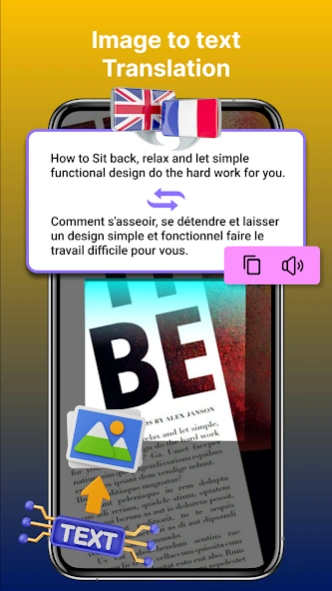
Image to Text and Text to Speech - ML Scanner is the Free and Fastest picture to Text Converter with latest technology. Machine learning technology which is Previously known as OCR used to convert Image to Text. lets...
Image to Text and Text to Speech - ML Scanner is the Free and Fastest picture to Text Converter with latest technology. Machine learning technology which is Previously known as OCR used to convert
Image to Text. lets install it and extract text from image and Document Text Scanner.
I2S Image to Word and
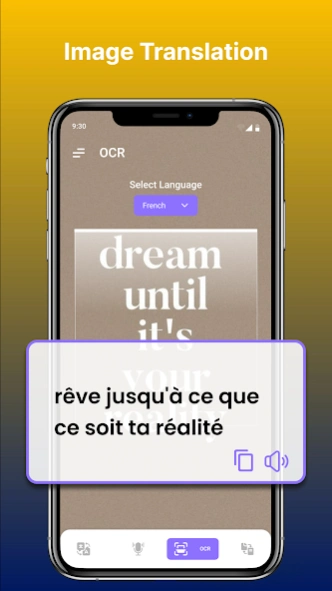
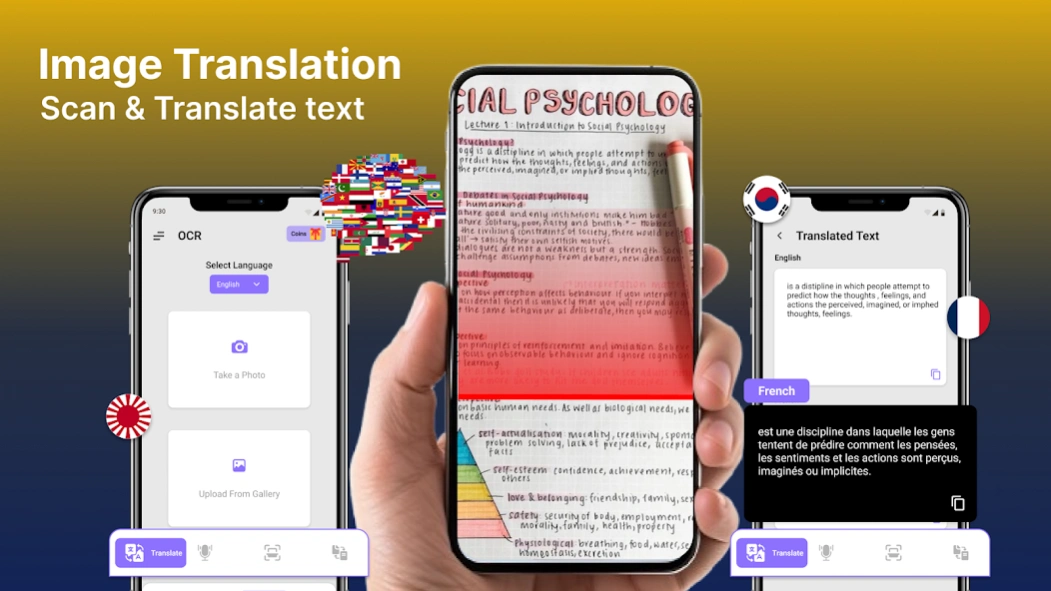
Text to Speech - MlScanner provides service to our user to extract text from any image. You can only take picture from camera or Select image from gallery and then ML Scanner will do rest of the job and will deliver you a text. It will show you words in a picture. You can listen that text if you want to listen and can easily shareable. It will be your best Cam Scanner app.
In our daily life we face that problem to extract words from pdf file but it is not easy handle with that problem. Image to Text and Text to Speech TTS with best Machine learning Scanner is a
Text Reader app for you to solve that daily life problem. You can take image from camera of select image from gallery to extract text from it. It is pdf Scanner application. You can take picture of document to get
text of any document, PDF or any Business Card.
Picture to Text and Text to Speech also provide feature to mange what scan history so you can easily used that text in future. You can listen that text by text to speech feature of that application. You can easily share that text through any social media apps like Facebook, twitter and whatsapp and other applications like messages and messenger apps. You can easily delete the text if you don’t want to use it in future. You can Just have to take picture of long documents and I2S will provide you text.
Feature of Image to Text and Text to Speech - Ml Scanner:
- Image to Text Converter & Document Scanner
- Text Scanner ML Scanner & PDF Scanner
- Text to Speech (TTS) - Text Reader
- Scan for Text - BCR
- Image to Text Scanner (Cam Scanner)
- Machine Learning Scanner (Previously known as OCR)
- Share convertible text on any social media platform like Facebook, Twitter etc
- Picture to Text Doc Scanner - Business Card Reader
- Crop unwanted area easily - Picture Editor - Rotate Image
- Support images from Gallery to scan
- Copy to Clipboard to use in different apps
- Easy to Use with best user friendly interface
How to use Image to Text and Text to Speech - Text Scanner:
After installing Picture to Text and Text to Speech ML Scanner application, you will see three main functions of this application. You can take image from Camera or select image from Gallery to
generate text of that image document. You can now Crop image to get text of specific part of document or image. History will have maintained to use that text in future and so you share that text with your friend and family. What ever you scan can be easily shareable on any social media platform or can be used in any other application after copy it to clipboard. Just tap the text on the list and you can easily listen Whatstext and use text to speech function of app. It is your text reader app.
Note: Text Scanner Application can not receive handwriting and blur images but only Recognizes Latin characters. The text will be recognized best in clear and cropped picture. We only used camera permission to access camera or gallery.
Previous Versions
Here you can find the changelog of Image to Text to Speech ML OCR since it was posted on our website on 2021-12-15 18:37:26.
The latest version is 6.0.6 and it was updated on 2026-10-12 17:59:53. See below the changes in each version.
Image to Text to Speech ML OCR version 6.0.6
Updated At: 2026-09-22
Changes: - All Translator Crashes Fixed.
Image to Text to Speech ML OCR version 6.0.3
Updated At: 2026-08-24
Changes: - Translator Minor Bugs Fixed.
- Ai Grammer Crashes Fixed.
Image to Text to Speech ML OCR version 6.0.2
Updated At: 2026-07-10
Changes: - Ai Gramer Check Added.
- All Language Translator.
- Image to Text In_App Issue Fixed.
- Image to text.
- Voice Conversation.
- Image to Text Ui/Ux Update.
Image to Text to Speech ML OCR version 5.0.9
Updated At: 2026-04-22
Changes: - Image To Text Premium Plan update.
- Translator User experience improve
- All Language Translator SDK Updated.
- Translator minor bugs fixed.
Image to Text to Speech ML OCR version 5.0.5
Updated At: 2025-08-07
Changes: - All Language Translator SDK Updated.
- Translator minor bugs fixed.
Image to Text to Speech ML OCR version 5.0.3
Updated At: 2025-06-04
Image to Text to Speech ML OCR version 5.0.2
Updated At: 2025-05-07
Changes: - Image to Text Ads SDK update.
- Translator app ads remove update.
- All Language Translator Added.
- Easy to Use Translator.
- Voice conversation.
- Free All language Translate.
Image to Text to Speech ML OCR version 5.0.1
Updated At: 2025-05-07
Changes: - Image to Text Minor Bugs Fixed.
- Translator app ads remove update.
- All Language Translator Added.
- Easy to Use Translator.
- Voice conversation.
- Free All language Translate.
Image to Text to Speech ML OCR version 4.0.9
Updated At: 2025-02-18
Changes: - Translator app ads remove update.
- All Language Translator Added.
- Easy to Use Translator.
- Voice conversation.
- Free All language Translate.
Disclaimer
Official Google Play Link
We do not host Image to Text to Speech ML OCR on our servers. We did not scan it for viruses, adware, spyware or other type of malware. This app is hosted by Google and passed their terms and conditions to be listed there. We recommend caution when installing it.
The Google Play link for Image to Text to Speech ML OCR is provided to you by apps112.com without any warranties, representations or guarantees of any kind, so access it at your own risk.
If you have questions regarding this particular app contact the publisher directly. For questions about the functionalities of apps112.com contact us.